
VNPAY PAYMENT GUIDE ON WEBSITE
VNPAY payment gateway is a solution developed by Vietnam Payment Solutions JSC (VNPAY). Customers can use bank cards/accounts or the QR Pay/VNPAY-QR feature integrated in mobile banking apps or supported e-wallets to complete transactions and enter discount codes (if any).
Scan VNPAY-QR with 40+ Mobile Banking Apps and 15+ E-wallets
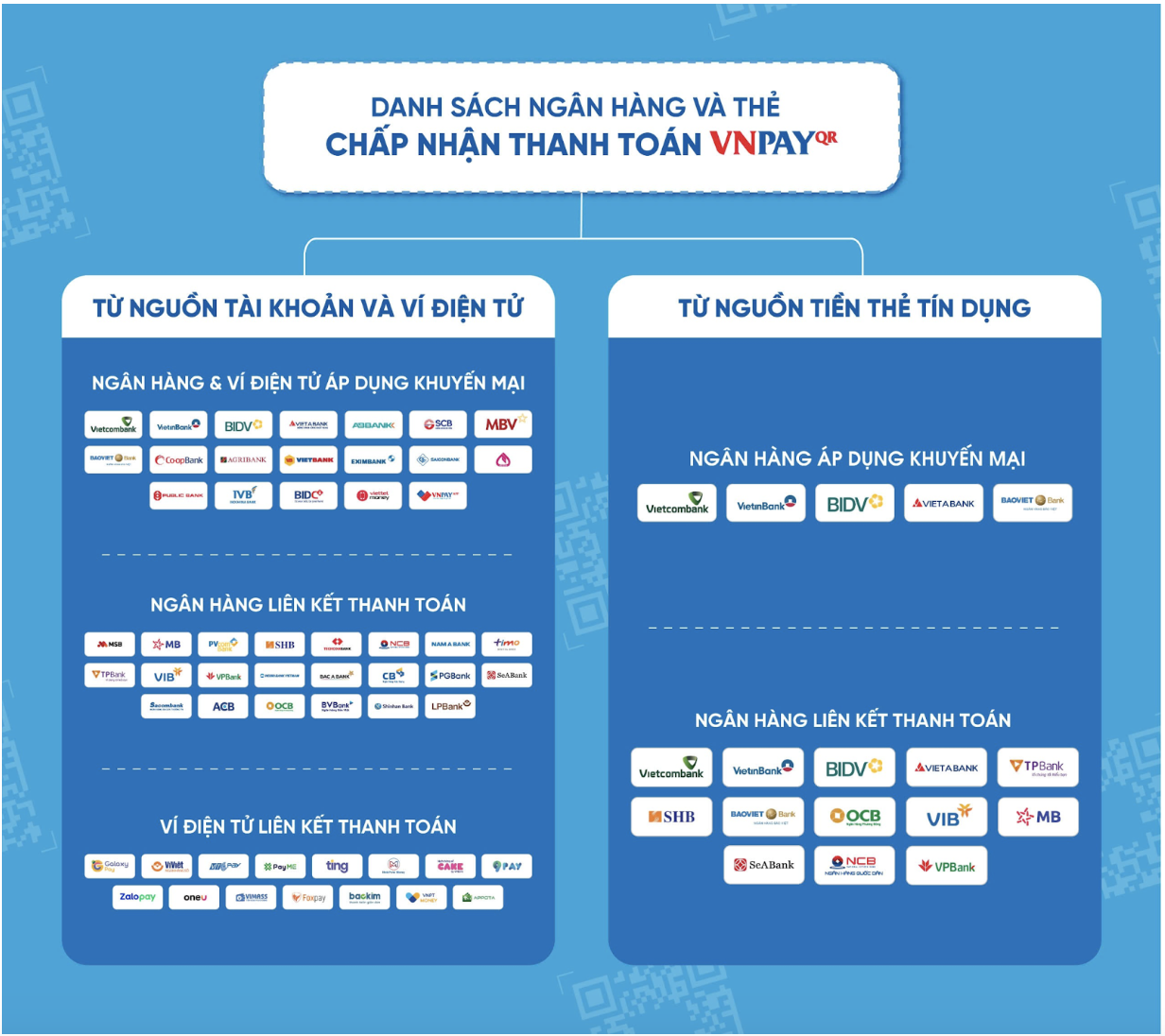
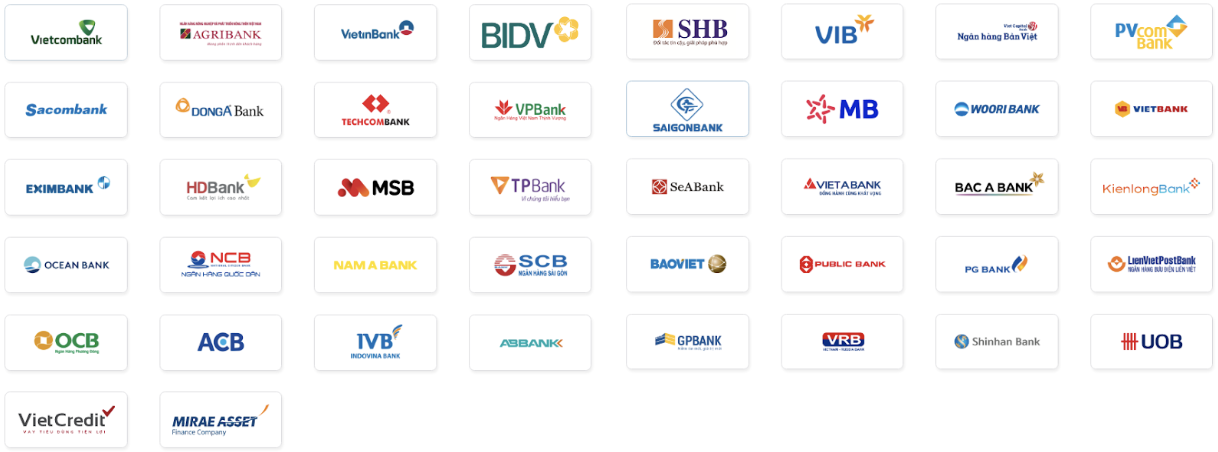
40+ Domestic ATM Cards / Bank Accounts
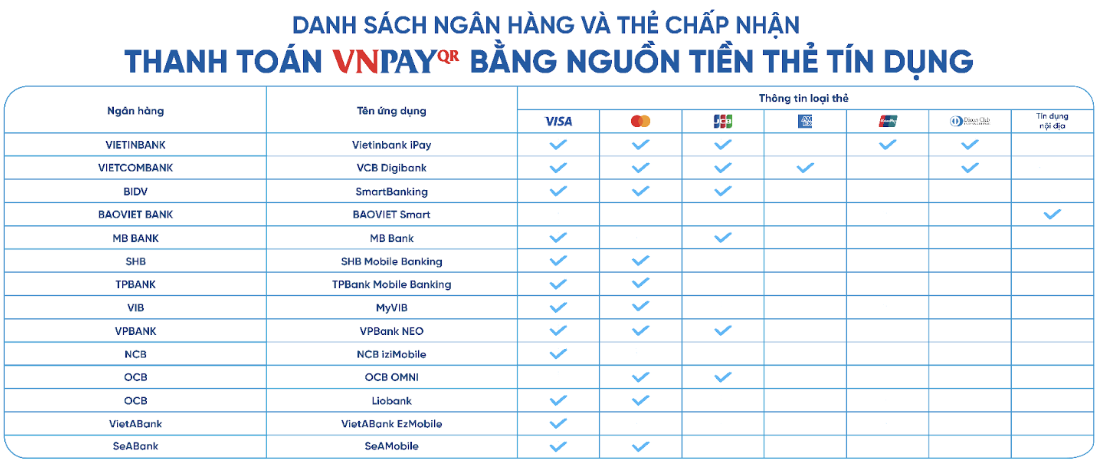
5 International Payment Cards

VNPAY PAYMENT METHODS
1. Payment via "VNPAY-QR Supported Payment Apps"
Step 1: Select a product/service and click "Pay Now" or "Place Order"
On the payment page, check your order, fill in the shipping information, choose VNPAY, and click "Place Order".
Step 2: The system redirects to VNPAY gateway. Choose "VNPAY-QR Supported Apps"
Step 3: A QR code with payment amount appears. Use your mobile banking app to scan.
*Note: QR code is valid for 15 minutes. Please prepare in advance to avoid timeout issues.
Step 4: Confirm the details, enter a discount code (if any), and complete the payment
Once completed, you'll receive an order confirmation on the website.
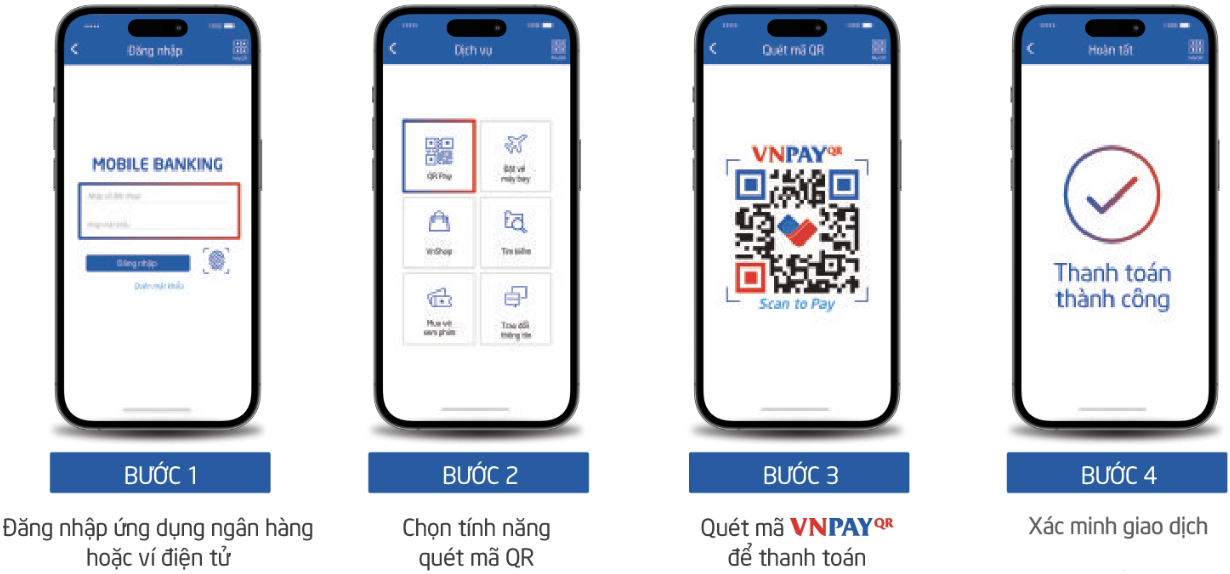
QR Pay/VNPAY-QR Payment Instructions
2. Payment via "Domestic Cards & Bank Accounts"
Step 1: Select a product/service and click "Pay Now" or "Place Order"
On the payment page, choose VNPAY, click "Place Order".
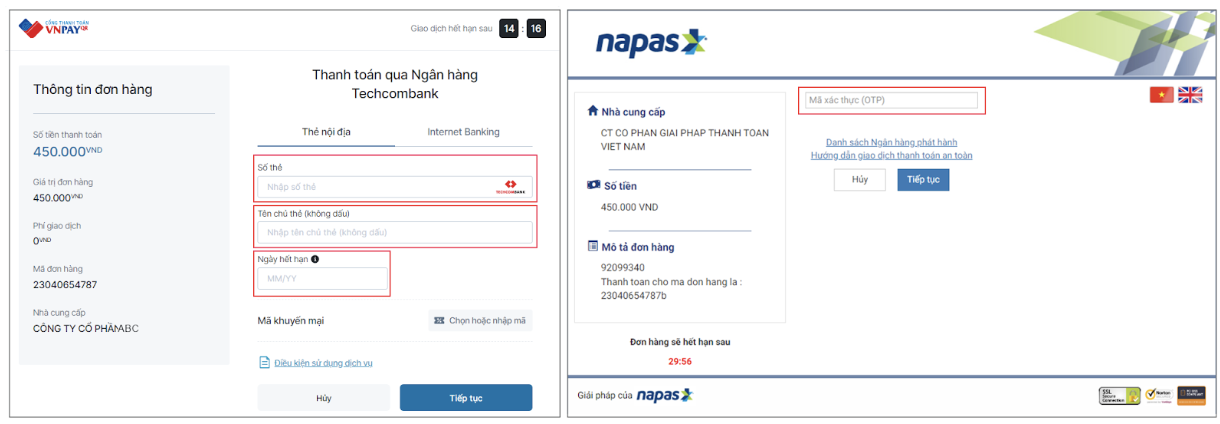
Step 2: Choose "Domestic Cards & Bank Accounts", select your bank
Step 3: Enter your card/account details and OTP to complete
*Note: The transaction is valid for 15 minutes
Step 4: You will receive an order confirmation upon completion
3. Payment via "International Payment Cards (Visa, MasterCard, JCB, UnionPay)"
Same process as Domestic Card payment
4. Payment via "VNPAY E-wallet"
Same process as VNPAY-QR Supported Apps
VNPAY SUPPORT CHANNELS
- Hotline: *3388 or 1900 55 55 77
- Zalo OA: zalo.me/4134983655549474109
- Email: hotro@vnpay.vn
- Fanpage: facebook.com/VNPAYQR.vn